
Business software
Xascom CRM
A custom CRM and management platform for an insurance services firm. It takes the team from first contact to policy renewal in one place, with a live pipeline, task and call tracking, bulk imports and revenue analytics.
- Client
- Xascom Info Solutions LLP
- Industry
- Insurance
- Service
- Business Software & CRM
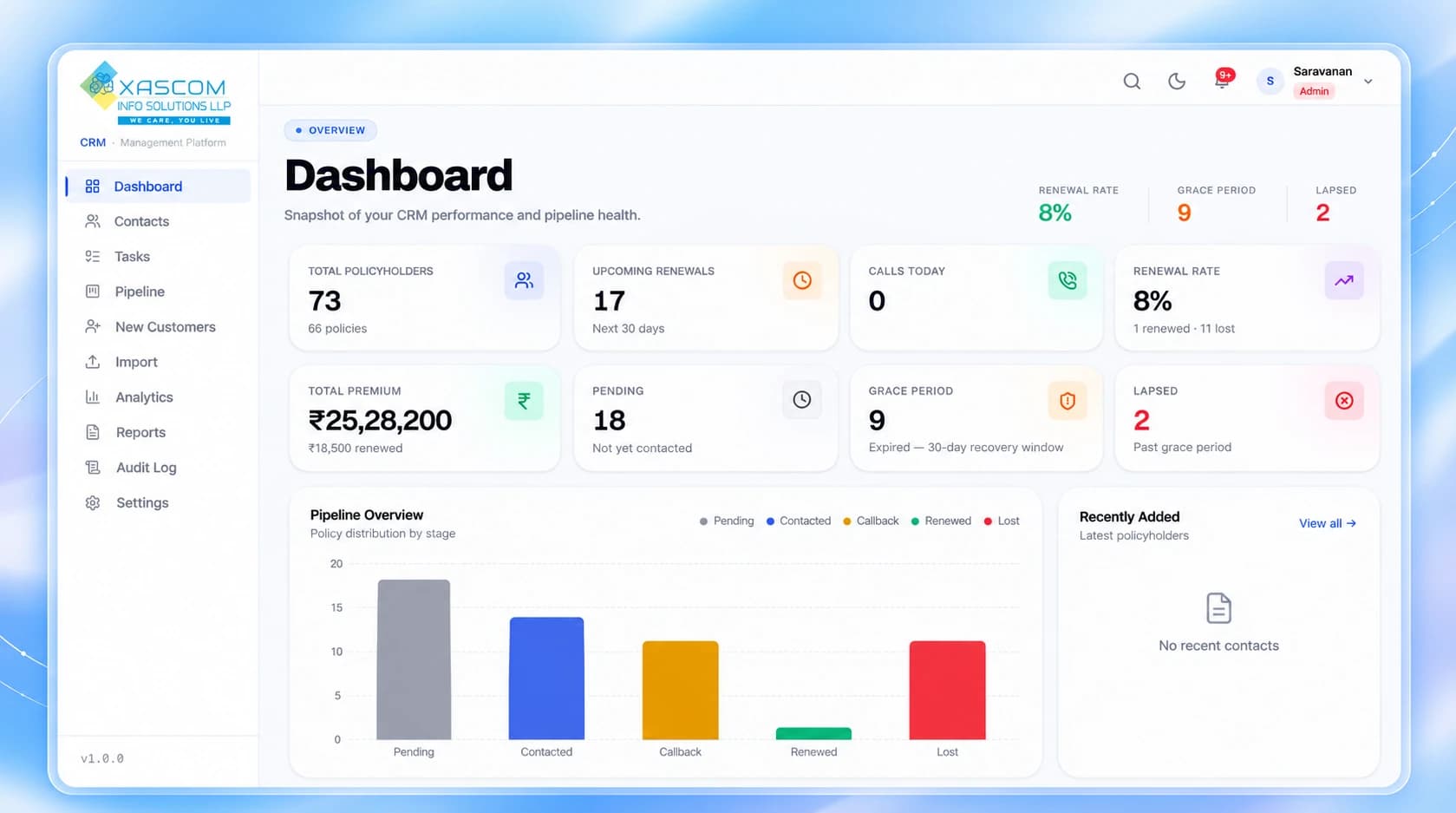
01 — Dashboard
The whole business at a glance.
The first screen after sign-in shows where renewals stand today, so the team knows what needs attention before opening a single record.
- Renewal rate, grace-period and lapsed counts in the header
- Upcoming renewals for the next 30 days
- Pipeline overview by stage
- Recently added policyholders
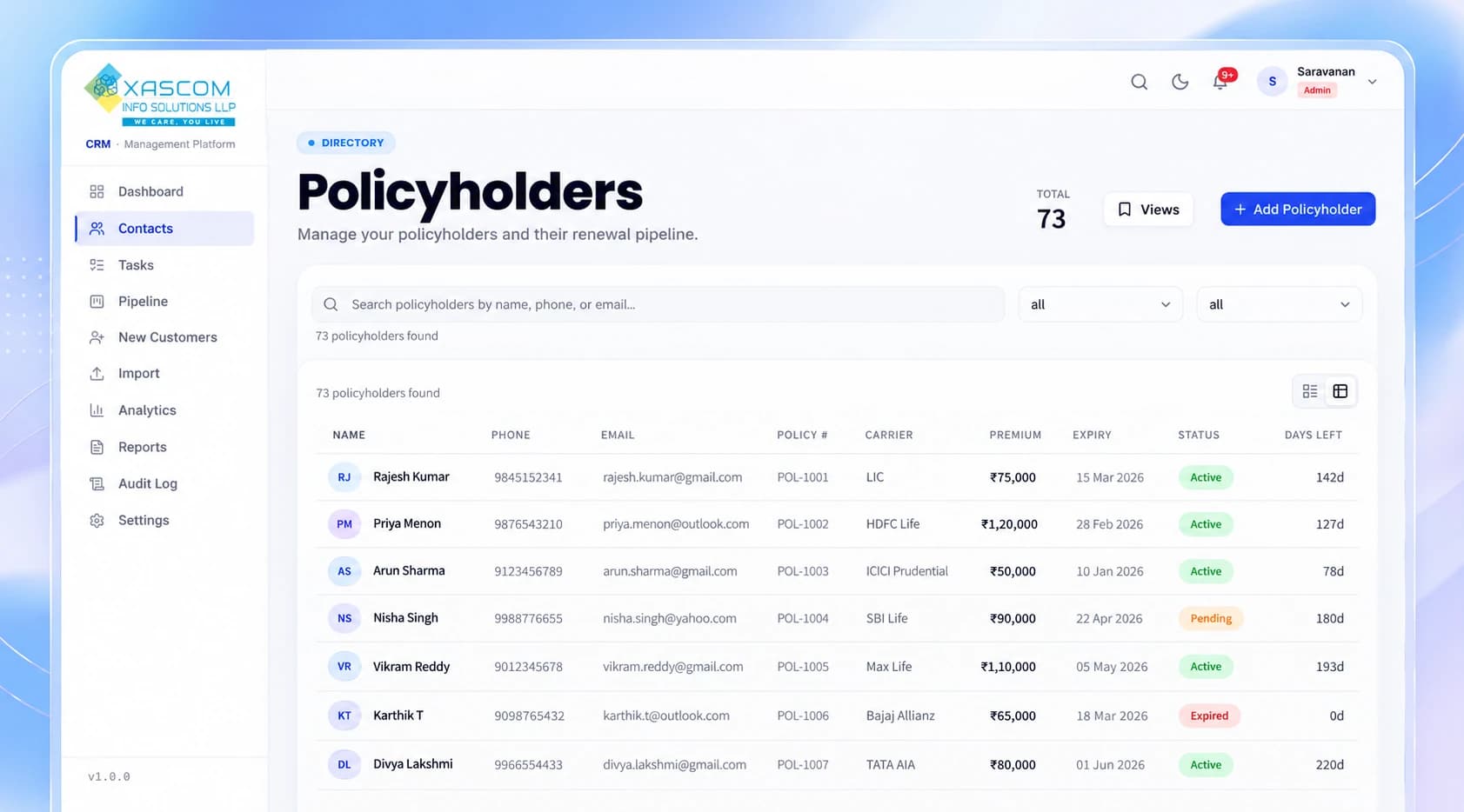
02 — Policyholders
Every policyholder in one searchable list.
Customer and policy details sit in one directory that the whole team works from.
- Search by name, phone or email
- Filter the list and switch between card and table views
- Policy number, carrier, premium, expiry, status and days left on every row
- Add a new policyholder from the same screen
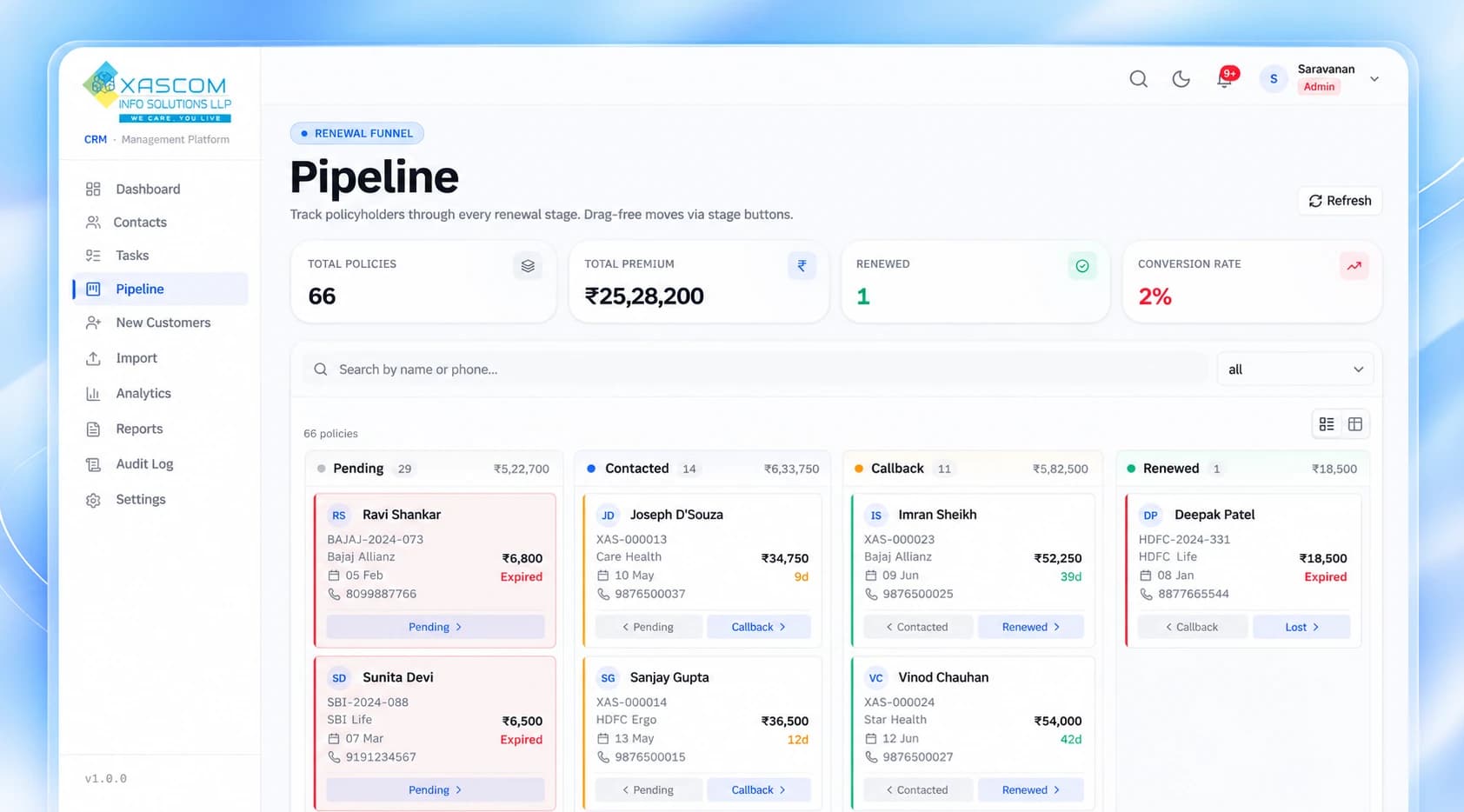
03 — Pipeline
Renewals move through clear stages.
Every policy sits in a stage, from pending to renewed or lost, with the premium at stake shown for each stage.
- Stage columns with policy counts and total premium
- Move a policy forward or back with one click on its stage buttons
- Expired and soon-to-expire policies are colour-coded, with days left
- Search by name or phone
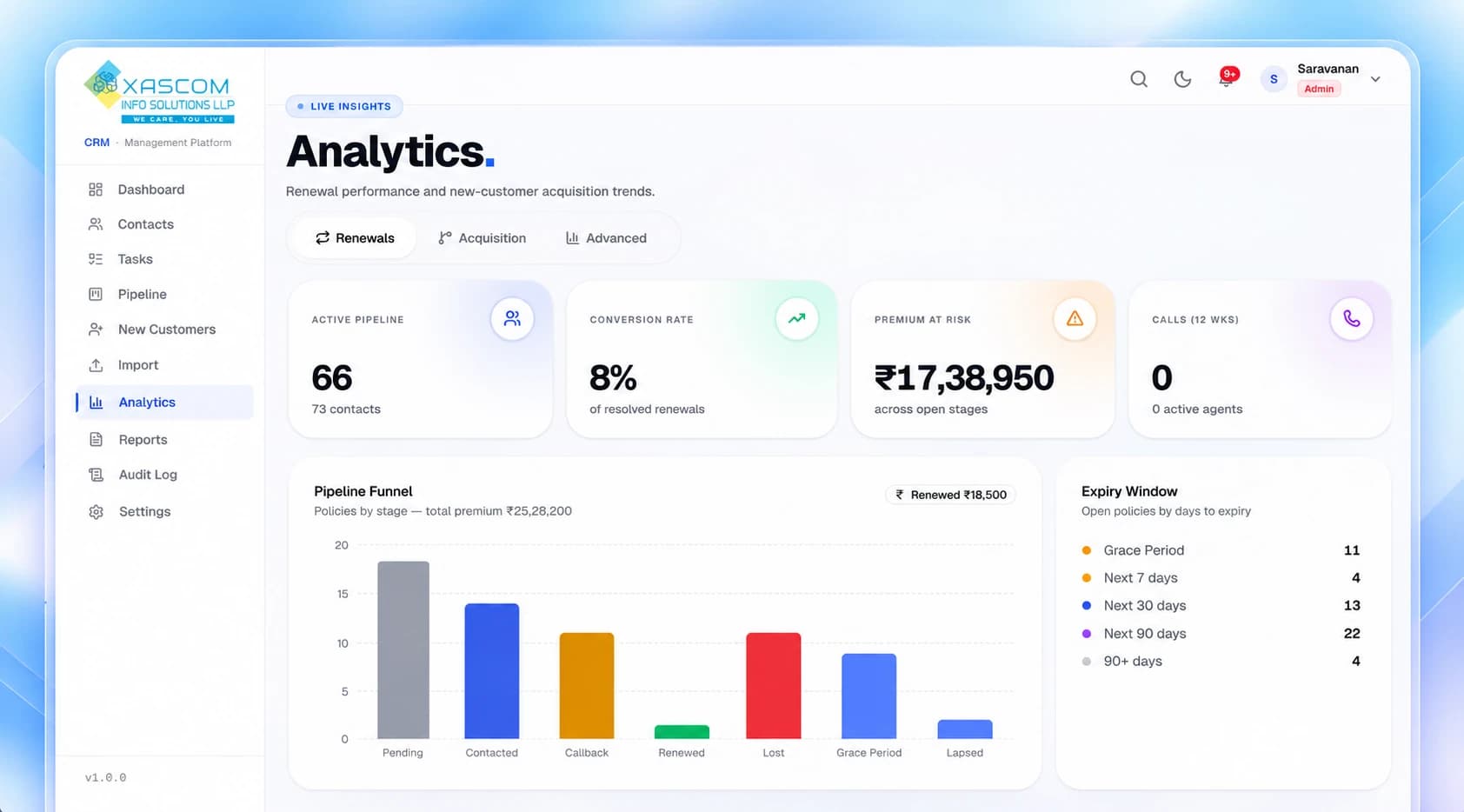
04 — Analytics
Know how renewals are performing.
Live figures for the pipeline, with separate views for renewals, new customers and advanced reports.
- Active pipeline, conversion rate and premium at risk
- Pipeline funnel by stage
- Expiry window showing open policies by days to expiry
- Renewals, Acquisition and Advanced tabs
05 — Sign in
A branded, secure sign-in.
Team members sign in with their own accounts, and what they can see follows their role.
- Email and password sign-in
- Role-based access for each team member
- A full audit log of every change

What we built
- Renewal tracking with upcoming, grace-period and lapsed policy views
- Kanban pipeline that follows every lead from pending to renewed or lost
- Revenue analytics, agent leaderboards and activity heatmaps
- Role-based access with a full audit log of every change
- Dashboard
- Contacts
- Tasks
- Pipeline
- New Customers
- Import
- Analytics
- Reports
- Audit Log
- Settings
Next
Have something worth building?
Tell us what you're working on. We'll tell you how we'd approach it.